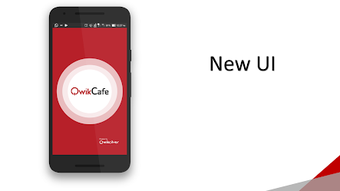

Download QwikCafe – online food ordering, food delivery, restaurant app, mobile ordering, quick food, digital payments, food app, order food online, QwikCafe app, mobile wallet, corporate food service
Overview
QwikCafe is a free Android mobile application designed to streamline the process of online food ordering and digital payments. Targeted primarily at corporate users, the app aims to deliver a convenient and efficient solution for ordering meals and beverages in professional environments. It serves as a digital platform that connects users with food service providers, enabling quick access to menus, real-time order tracking, and secure payment processing. The app is positioned as a leading service provider for the corporate sector, emphasizing quality, taste, and nutritional value in every order.
Users benefit from a user-friendly interface that simplifies the ordering process, allowing for fast selections and immediate confirmation. The app supports multiple payment methods, including debit and credit cards, net banking, and UPIs, ensuring flexibility and accessibility. A dedicated mobile wallet feature enables users to store funds and make transactions without repeatedly entering card details. This functionality enhances convenience, particularly for frequent users within office or corporate settings. The app also provides transaction history and feedback tools, allowing users to review past orders and contribute to service improvement.
Real-world usage scenarios include daily lunch ordering in office environments, employee meal subscriptions, and on-demand beverage requests. The app’s focus on corporate clients suggests it may be integrated into workplace wellness or catering programs. While the developer did not provide additional details about the underlying infrastructure or backend systems, the app’s design reflects a clear emphasis on usability and operational efficiency for business environments.
Key Features & Capabilities
- User-Friendly Menu Interface: The app features a clean, intuitive menu layout that allows users to browse food and drink options quickly. This design reduces decision time and supports fast ordering, especially during peak hours.
- Real-Time Order Tracking: Users can monitor their order status from placement to delivery, ensuring transparency and reducing uncertainty during wait times.
- Mobile Wallet Integration: A built-in wallet enables users to preload funds, make payments without card details, and earn cashback rewards, improving transaction speed and user retention.
- Multichannel Payment Support: The app accepts debit and credit cards, net banking, and UPIs, catering to diverse payment preferences across different user segments.
- Transaction History & Feedback: Users can view a complete record of past orders and submit feedback for each, promoting accountability and continuous service improvement.
- Instant Notifications: Purchase confirmations and reward updates are delivered in real time, enhancing user engagement and awareness of account activity.
These features collectively support a seamless experience for corporate users who require reliable, repeatable food ordering with minimal friction. The integration of a mobile wallet and multiple payment options reduces checkout time, while real-time tracking increases trust in delivery timelines. Feedback mechanisms allow organizations to gather insights on employee satisfaction, making the app suitable for internal catering management. The absence of a desktop version means the app is optimized for mobile use, aligning with on-the-go consumption patterns.
User Interface, Workflow & Performance
The user interface of QwikCafe is structured around simplicity and speed, with a focus on minimizing user effort during the ordering process. Navigation is linear and consistent, guiding users through menu selection, customization, payment, and confirmation with minimal steps. The layout prioritizes visual clarity, using clear icons, readable fonts, and logical grouping of food categories.
Workflow efficiency is enhanced by features such as saved preferences, quick-reorder options, and the mobile wallet, which reduce the number of interactions needed per transaction. The app appears to be optimized for mobile performance, though exact performance details were not specified. The developer did not provide information about CPU or RAM usage, nor did they disclose any benchmark data or stability reports.
General observations based on standard mobile app behavior suggest that the app operates smoothly under typical usage conditions. However, actual performance may vary depending on device hardware, network connectivity, and background app activity. Stability is expected to be consistent given the app’s focus on core functionality and its free distribution model. Users are advised to ensure their device meets minimum Android requirements for optimal operation.
Compatibility & System Requirements
QwikCafe is compatible with Android operating systems and is available in version 2.4.5. The installation size is 24.3 MB, indicating a lightweight footprint suitable for devices with limited storage capacity. The developer did not specify exact system requirements, such as minimum Android version, RAM, or processor specifications.
Compatibility information is limited to the platform and version provided. While the app is designed for mobile use, the absence of details about minimum OS versions or hardware needs means users should rely on the Google Play Store’s compatibility checks for installation. No information was provided about support for tablets, wearables, or other Android-based devices. The app’s file size suggests it is optimized for low-bandwidth environments and fast deployment.
Pros and Cons
Pros
- Free to download and use, reducing entry barriers for corporate and individual users.
- Intuitive interface with fast navigation and clear menu organization.
- Supports multiple payment methods, including UPI, cards, and net banking.
- Mobile wallet feature enables quick, secure transactions without repeated card input.
- Real-time order tracking improves transparency and user confidence.
- Transaction history and feedback tools promote accountability and service quality.
Cons
- Available only on Android, limiting access for iOS or desktop users.
- Exact system requirements were not listed, which may cause installation issues on older devices.
- Limited to mobile use; no desktop or tablet optimization available.
- Developer did not provide performance or resource usage data.
- Corporate focus may reduce appeal for casual or individual consumers.
FAQ Section
Is QwikCafe available for iOS devices?
As of now, QwikCafe is only available for Android. There is no official version for iOS or other platforms.
Is the app safe to use for online payments?
QwikCafe supports secure payment methods such as UPI, credit/debit cards, and net banking. While the developer did not provide specific security details, the use of standard encrypted payment gateways suggests a secure transaction environment.
How often are updates released?
The app is currently on version 2.4.5. The frequency of updates is not specified by the developer.
Can I use QwikCafe without creating an account?
While the app does not explicitly state account requirements, features like transaction history, wallet management, and feedback suggest that user accounts are necessary for full functionality.
Is QwikCafe available offline?
Based on its real-time tracking and payment features, QwikCafe likely requires an active internet connection. Offline functionality was not mentioned in the provided information.
Final Thoughts + CTA
QwikCafe presents a focused, user-centric solution for corporate food ordering and digital payments on Android. Its streamlined interface, mobile wallet, and real-time tracking make it a reliable tool for employees and organizations seeking a hassle-free way to manage meal services. While the app is limited to Android and lacks detailed system specifications, its core features are well-aligned with the needs of business environments. The absence of a desktop version may be a drawback for some users, but the app’s mobile-first design ensures optimal performance on smartphones.
For professionals in corporate settings who prioritize speed, convenience, and transparency in food ordering, QwikCafe offers a compelling option. Its free access model and robust feature set position it as a strong contender in the mobile food service space. With continuous updates and growing adoption, it has the potential to expand its reach beyond its current target audience.
Download QwikCafe now







